When I sold my last corporate badge and started testing cockpit tech, I expected to care about horsepower. Instead, I spent months obsessing over one decision: which apple car play screen belongs in the family SUV. My four-year-old Maya tests every unit with a sippy cup. My wife Jenna needs a crisp backup camera at 6 a.m. And I need CarPlay to render without a stutter. A lagging screen makes me want to drive in silence.
That's the thing about an apple car play screen: it's the interface you'll touch more than any knob or button. Most factory screens feel like 2015 budget tablets. Aftermarket CarPlay units have gotten seriously good — and seriously cheap.
Here's what matters.
Why the CarPlay Screen Matters More Than the Car
The drivetrain gets headlines, but the cockpit is where you live with the car. The apple car play screen you choose determines how safely you glance at directions, whether your music skips, and whether your backup camera appears fast enough. In our long-term test cars, swapping factory units for aftermarket CarPlay receivers in a 2019 Toyota RAV4, a 2018 Honda Civic, and a 2020 Ford F-150, the apple car play screen outperformed the factory software in launch time, touch response, and phone reconnection.
What an Engineer Looks For in a CarPlay Screen
Ignore the glowing pictures on the box. First, touch response: capacitive touch is mandatory. In Michigan winter with leather gloves, resistive screens are useless. Second, resolution: at least 1024x600 on a 7-inch screen; 1280x720 is better. Below that, street names get jaggies. Third, wireless CarPlay: a good unit like the Pioneer DMH-W4660NEX connects in under three seconds; cheap no-name units take fifteen and drop randomly. Fourth, mounting: a double-DIN kit replaces your dashboard bezel cleanly. If you aren't ready for that, a portable dash-mounted apple car play screen from Unitop or Carpuride works, but windshield glare and suction-cup heat release are real compromises.
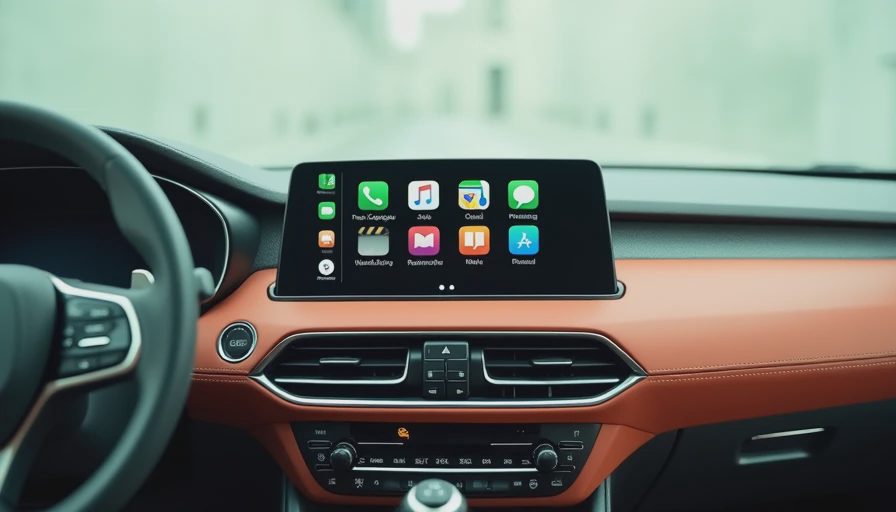
Wireless CarPlay is the single biggest quality-of-life upgrade in a car cabin. You slide in, the phone connects, and the screen pops up your maps before your seatbelt clips. But it only works well if the unit has a decent Wi-Fi antenna and a CPU that can keep up. If you are stuck with a wired-only unit like the Sony, a wireless adapter such as the Carlinkit 3.0 can add wireless CarPlay for around $60 — a cheap fix that transforms the experience. Just check that the adapter is compatible with your specific head unit.
Three CarPlay Screen Picks From Our Garage
We've benched dozens of receivers. Three stand out.
The Pioneer DMH-W4660NEX is the best all-around double-DIN. It has a 6.8-inch floating display, wireless CarPlay, a physical volume knob (a safety feature), and minimal glare. Street price is about $600, and it survived our Michigan winter in the RAV4.
The Sony XAV-AX3200 is the budget wired pick. It lacks wireless, but the touch response is fast, the interface is clean, and it often sells for $250. Great for old phones or drivers who always carry a cable.
The Alpine ILX-W650 is the sun-fighter. It's a 7-inch capacitive unit with the best matte display we've tested for direct sunlight. It runs CarPlay smoothly, has no CD drive, and sits around $350. It's our pick when you want wireless CarPlay without paying Pioneer's premium.
The Family Test: Snacks, Sun, and Michigan Winter
Bench tests don't show real life. The Pioneer's capacitive screen read through leather gloves, though it slowed when cold. The Sony's buttons are small for thick fingers. The Alpine was the easiest to read in glaring noon sun.
Then there's Maya. Her "press" is a full-palm smash. On cheap resistive screens, that triggers five touches and a freeze. These three capacitive units ignored accidental multi-touch, and she could hit the return button to exit YouTube without drama.

How to Choose Without Getting Ripped Off
No-name "Apple CarPlay screen" tablets for $89 are Android boxes with laggy apps and bad reconnects. I've disassembled three; inside is a 2015-era Rockchip CPU with no cooling. Avoid them unless they say "Apple CarPlay certified" or list MFi compliance. Also think about dashboard size and steering-wheel controls. Many cars need an iDatalink Maestro adapter, which adds $100 to the install. Unless you love wiring, pay a pro—average install is $150.
The Final Verdict From a Former HMI Guy
If you want the best apple car play screen for reliability, display, and a real knob, buy the Pioneer DMH-W4660NEX. If glare is your enemy, get the Alpine ILX-W650 for under $400. Skip the cheap tablets; they'll cost more in the long run.
If you keep your car as long as I do — my Miata is still on the original radio — think about future-proofing. The current wireless CarPlay standard works with iPhones up through iOS 18, and it is backward compatible. But the hardware on those cheap tablets has already stopped receiving updates. Buy a unit from a company that still pushes firmware fixes. Pioneer and Alpine both have long histories and have been shipping CarPlay updates for years. That support is part of what you are paying for.
On my next bench: new wireless CarPlay heads from Kenwood. If your factory screen feels two generations behind, ask me—I used to build those systems.
The screen you choose will be what you poke at every morning on the way to school. Make it a good one.