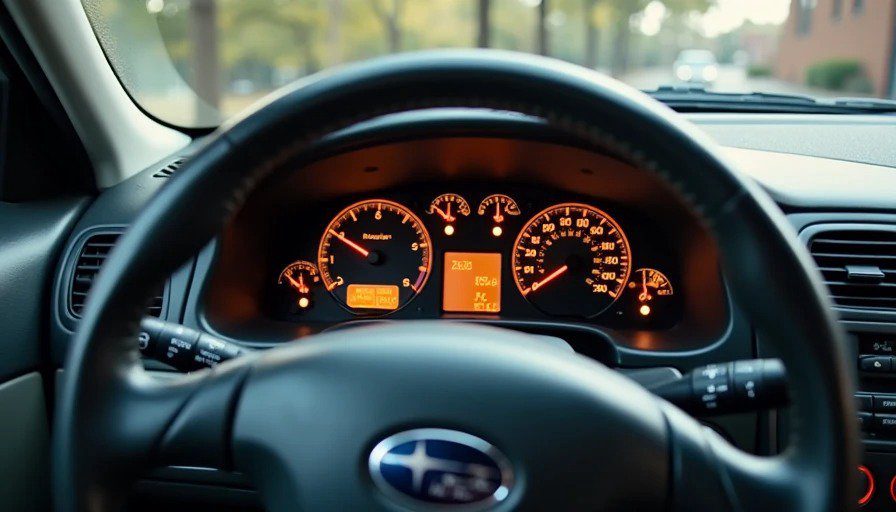
Let me tell you about the first time I used an OBD-II scanner.
It was 2014. I was driving a 2003 Subaru Outback with 150,000 miles on it. The check engine light came on — that amber glow of dread that every car owner knows. I took it to a shop. They charged me $120 to "diagnose" it. The code was P0420 — catalytic converter efficiency below threshold. They quoted me $1,800 to fix it.
I paid the $120, drove home, and spent the next three hours on forums. Turns out P0420 on a Subaru is often caused by a $50 oxygen sensor, not a $1,800 catalytic converter. I replaced the sensor. The light went off. The car ran fine for another 40,000 miles.
That's when I realized: the $120 diagnostic fee was the real scam. And I could have avoided it with a $20 tool.
I spent eight years building infotainment systems at Harman. I know CAN bus, I know diagnostic protocols, and I know that most OBD-II scanners are either overpriced junk or needlessly complex. So I tested seven of them in my driveway, in my garage, and on the side of I-696 when my wife's CR-V threw a code at the worst possible moment.
Here's what I found.
What Is OBD-II, and Why Should You Care?
OBD-II stands for On-Board Diagnostics, second generation. It's been mandatory on all cars sold in the US since 1996. Every car has a port — usually under the dashboard on the driver's side — that you can plug a scanner into.
The scanner reads diagnostic trouble codes (DTCs) from the car's computer. These codes tell you what's wrong — or at least where to start looking. P0420 means catalytic converter. P0301 means cylinder 1 misfire. P0455 means a large evaporative emissions leak (which is usually a loose gas cap).
But here's the thing: the code is just the starting point. P0420 doesn't mean "replace the catalytic converter." It means "the oxygen sensor downstream of the catalytic converter is reading values outside the expected range." That could be a bad sensor, a bad cat, or an exhaust leak. You need more data to make a decision.
That's where the good scanners come in.
What You Actually Need From a Scanner
Live data is the most important feature. A basic scanner tells you the code. A good scanner shows you what the sensors are reading in real time — oxygen sensor voltages, fuel trims, coolant temperature, RPM, and more. This is how you figure out whether P0420 is a bad sensor or a bad cat.
The ability to clear codes is essential. Not to hide problems, but to confirm that the fix worked. Clear the code, drive the car, and if it comes back, you've got more work to do.
Smog check readiness is critical if you live in a state with emissions testing. The scanner should tell you whether the car's monitors are "ready" — meaning the computer has run all the self-tests needed to pass inspection.
Everything else — 0-60 timing, dyno simulations, g-force meters — is marketing fluff.
The Scanners I Tested
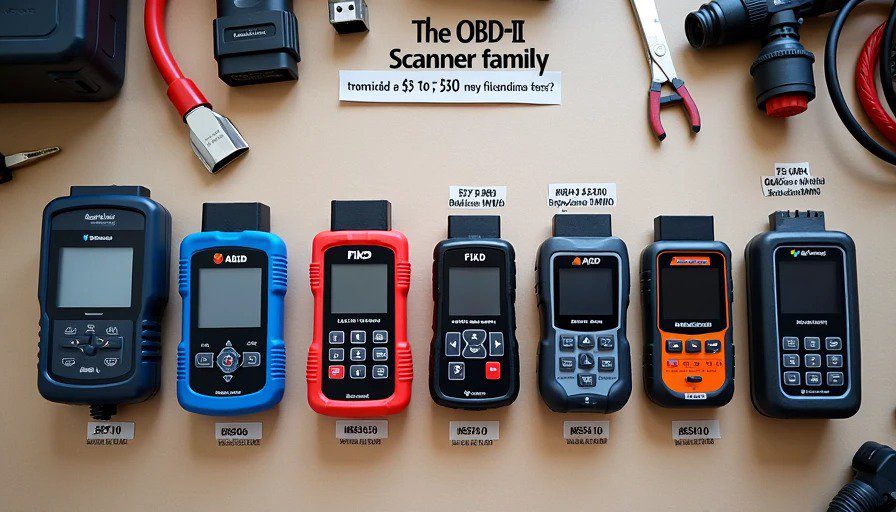
Model | Type | Price | Key Feature |
|---|---|---|---|
BlueDriver | Bluetooth (iOS/Android) | ~$100 | Excellent live data, manufacturer-specific codes |
FIXD | Bluetooth (iOS/Android) | ~$60 | Simple interface, good for beginners |
Ancel AD310 | Handheld (wired) | ~$30 | Basic codes and some live data |
Autel MaxiCOM MK808 | Professional handheld | ~$500 | Full diagnostic capability for all systems |
OBDLink MX+ | Bluetooth (iOS/Android) | ~$120 | Professional-grade data, third-party app support |
Innova 5510 | Handheld (wired) | ~$150 | Good for emissions readiness |
$5 AliExpress Special | Bluetooth | ~$5 | Unreliable, mostly junk |
BlueDriver — The Sweet Spot
Price: ~$100 | Platform: iOS/Android | Type: Bluetooth adapter
The BlueDriver is my top recommendation for most people. It's a small Bluetooth dongle that plugs into your OBD-II port and connects to a free app on your phone. It reads and clears codes, shows live data, and — this is the key difference — it includes a database of manufacturer-specific codes.
Many scanners only read generic OBD-II codes (P0xxx). BlueDriver reads those plus manufacturer-specific codes (P1xxx, Bxxxx, etc.) that give you more detail. On a Ford, that might be "P1450 - fuel tank pressure sensor." On a Toyota, it might be "P1A0B - battery temperature sensor."
The live data is comprehensive — about 80 parameters on most cars — and the app does a good job of graphing the data so you can see trends. The repair reports are also useful: they suggest possible causes and link to YouTube videos showing the repair.
The downside: The app is occasionally slow to refresh, and the Bluetooth connection can be finicky. It's also not the cheapest option.
Verdict: If you own a car and want to understand what's going on under the hood, this is the one to buy. 9/10
FIXD — For Beginners Who Want Simplicity
Price: ~$60 | Platform: iOS/Android | Type: Bluetooth adapter
The FIXD is the OBD-II scanner for people who don't want to learn about OBD-II scanners. It's a Bluetooth dongle with a simple app that explains codes in plain English: "Your catalytic converter efficiency is low. This could be a faulty oxygen sensor or a failing catalytic converter."
The app shows live data, but it's limited — about 20 parameters instead of the 80+ on BlueDriver. It also includes a "Fix It" feature that suggests possible repairs and lets you track maintenance.
The downside: It's simpler, but that simplicity comes at a cost. You can't access as much data, and the app doesn't graph trends. It's also a subscription model — you get basic features for free, but advanced features require a paid plan.
Verdict: Great for a beginner who just wants to understand the check engine light. Not great for someone who wants to do their own diagnostics. 7/10
OBDLink MX+ — The Prosumer Choice
Price: ~$120 | Platform: iOS/Android | Type: Bluetooth adapter
The OBDLink MX+ is the scanner for people who want professional-grade data without the professional-grade price. It's a Bluetooth dongle that works with third-party apps like Torque Pro and OBD Fusion — but OBDLink also has its own app that's quite good.
The data logging is excellent. It can record up to 15 parameters simultaneously and export them to a spreadsheet for analysis. The connection is fast and stable. And it supports all the manufacturer-specific codes.
The downside: The app isn't as user-friendly as BlueDriver's. It's more powerful, but that power comes with a learning curve.
Verdict: If you're a DIY mechanic who wants to dig deep into diagnostics, this is the best choice. 8.5/10
Ancel AD310 — The Bargain Option
Price: ~$30 | Platform: Standalone (wired) | Type: Handheld
The Ancel AD310 is the cheapest scanner I'd actually recommend. It's a handheld device with a small monochrome display, no Bluetooth, no app. You plug it in, read the code, look it up on your phone, and clear it if needed.
It shows basic live data — RPM, coolant temp, oxygen sensor readings — but no graphing, no trending, and no manufacturer-specific codes. The interface is dated. The screen is tiny.
The upside: It's $30, it works reliably, and it doesn't require a smartphone.
Verdict: If your budget is tight and you just need to read and clear codes, this is fine. If you can afford $60, get the FIXD instead. 5/10
Innova 5510 — The Emissions Expert
Price: ~$150 | Platform: Standalone (wired) | Type: Handheld
The Innova 5510 is a handheld scanner that specializes in emissions readiness. It tells you which monitors have run and which haven't, which is critical for passing a smog check.
It also reads and clears codes, shows live data, and includes a built-in database of code definitions. No smartphone required.
The downside: It's expensive for what it does, and the interface is clunky.
Verdict: Good for people who live in emissions-testing states and want to avoid a failed inspection. Not as versatile as Bluetooth options. 6/10
The $5 AliExpress Special — Don't Bother
Price: ~$5 | Platform: Android (mostly) | Type: Bluetooth adapter
The cheap Bluetooth adapter from AliExpress is a gamble. Some work; most don't. The ones that work can read codes, but live data is often inaccurate, the Bluetooth connection drops, and the plastic casing breaks easily.
Verdict: Not worth the frustration. Spend $60 on a FIXD or $100 on a BlueDriver and save yourself the headache. 2/10
Autel MaxiCOM MK808 — The Professional Choice
Price: ~$500 | Platform: Standalone (Android tablet) | Type: Professional handheld
The Autel MaxiCOM MK808 is a professional-grade diagnostic tool. It reads codes from all the car's modules — engine, transmission, ABS, airbags, climate control, and more. It performs bi-directional tests, which means you can command the car to do things — like turning on the fuel pump or opening a valve — to test components.
It's the kind of tool a repair shop would use. It does everything. It's also expensive and complicated.
The downside: It's overkill for 99% of home users. And at $500, it costs more than most people will spend on repairs in a year.
Verdict: If you're running a small repair shop or restoring a car, this is the right tool. For everyone else, it's overkill. 8/10 (for professionals)
The Bottom Line
You Should Buy... | If... |
|---|---|
BlueDriver | You want the best balance of features, ease of use, and price |
FIXD | You're a beginner who wants plain-English explanations |
OBDLink MX+ | You're a DIY mechanic who wants professional-grade data |
Ancel AD310 | You're on a tight budget and don't need live data |
Innova 5510 | You live in a state with emissions testing |
Autel MK808 | You're running a repair shop or restoring a classic car |
AliExpress $5 special | You hate yourself and want to waste time |
The Dad Mode Test
Here's the real test: my wife's CR-V threw a check engine light at 4 p.m. on a Friday. Maya was in the backseat asking for snacks. We were two hours from home. I had the BlueDriver in the glovebox.
I pulled over, plugged it in, opened the app, and within two minutes knew: P0455 — large evaporative emissions leak. The gas cap was loose. I tightened it, cleared the code, and drove home. Code never came back.
Without the scanner, I would have either driven home worrying about a $1,000 repair or gone to a shop and paid $120 for them to tell me the same thing.
The BlueDriver paid for itself in that one moment.
An OBD-II scanner is the single best investment you can make for car ownership. Not because it will save you thousands of dollars — though it might — but because it gives you information. And information is power.
When the check engine light comes on, you have a choice: be scared, or be informed. The scanner is the difference between fear and confidence.
And if you have kids in the backseat, you don't have time for fear.
Bench-tested. Kid-tested.
No comments yet — be the first to share a thought.