A wireless CarPlay adapter for iPhone sounds like a tiny convenience product. In practice, it is a small computer trying to impersonate a factory-installed wireless connection while sitting between your phone and a car's USB port. That makes compatibility, startup behavior, and radio performance more important than the glossy product photos suggest. I have tested these adapters in the least forgiving environment I know: short school runs, Michigan winter gloves, highway noise, and a four-year-old demanding a different song before the light turns green.
The good ones remove a genuinely annoying ritual. You get in, start the car, and Apple Maps, music, messages, and podcasts appear without plugging in a cable. The bad ones add a new ritual: unplugging, rebooting, pairing again, and explaining to a child why the music stopped. Here is how to separate the two.
First, confirm your car is compatible
The most important detail is also the one many listings bury. A wireless adapter generally works only when the vehicle already supports wired Apple CarPlay through a USB data port. It does not add CarPlay to a car that has no CarPlay software, and it cannot turn a charging-only USB socket into a data connection.
Try your iPhone with a reliable, short Lightning or USB-C cable. If the CarPlay interface launches on the factory screen, the hardware foundation is probably present. If the phone only charges, test another USB port and cable before buying anything. Some vehicles label the correct port with a smartphone icon, while others hide the data port inside the center console.
The adapter then creates a bridge. Your phone connects to it over Bluetooth for discovery and Wi-Fi for the high-bandwidth screen and audio connection. That is why the adapter needs both wireless radios, and why leaving your phone connected to the car's separate Bluetooth system can sometimes create confusing handoff behavior.
One limitation deserves special attention: many adapters are designed for factory CarPlay systems, not aftermarket receivers. Pioneer, Kenwood, Sony, and Alpine head units can behave differently depending on firmware and whether their wired CarPlay implementation expects a specific handshake. Read the compatibility notes for your exact receiver rather than relying on a five-star average.
What daily performance should feel like
A good wireless CarPlay adapter for iPhone should connect within roughly 15 to 30 seconds after the vehicle's infotainment system finishes booting. That timing is not always instant because the adapter must wait for the car's USB port to supply power, announce itself, establish Bluetooth pairing, and then negotiate a Wi-Fi session. The sequence is invisible when it works, but you notice every step when it fails.
Startup speed matters more than a benchmark number. In my experience, an adapter that takes 10 extra seconds but connects consistently is better than one that occasionally launches in five seconds and occasionally needs a reset. Family driving exposes this quickly. A child wants a playlist immediately, a navigation route needs to load before leaving the driveway, and nobody wants to troubleshoot a tiny black dongle in a grocery-store parking lot.
Expect a small delay when tapping the screen or skipping a track. Most quality units feel close to factory wireless CarPlay, but they are not magic. Audio should remain synchronized, calls should be intelligible, and steering-wheel controls should continue working. If a podcast pauses for several seconds whenever you use voice control, the issue may be poor firmware rather than your phone.
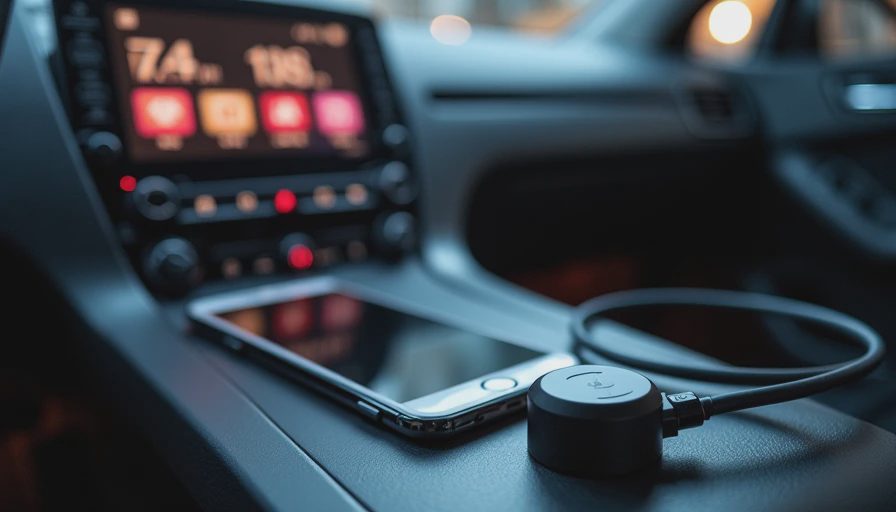
Some adapters include a USB-A plug, a USB-C plug, or both through a short extension. That is not just packaging. A deep, awkward port can put strain on a rigid dongle, especially when a center-console lid closes against it. A flexible cable lets you tuck the adapter out of the way and reduces the chance that a passenger knocks it loose.
Setup is simple, but sequence matters
To install a wireless CarPlay adapter for iPhone, first delete any old adapter pairing from the phone if you are replacing another unit. Plug the new adapter into the same USB port that launches wired CarPlay. Wait for its setup screen or pairing name to appear, then select it in the iPhone's Bluetooth menu. The phone should ask whether you want to use CarPlay; approve the connection and allow CarPlay while the phone is locked.
After the first pairing, leave Bluetooth and Wi-Fi enabled. Do not manually join the adapter's Wi-Fi network unless the instructions specifically require it. iOS normally manages that connection in the background. If the system loops between connecting and disconnecting, forget the adapter in Bluetooth settings, restart the iPhone, power-cycle the car, and pair again from scratch.
Firmware updates can fix connection stability, audio dropouts, and compatibility with newer iOS releases. That update process varies by brand. Some use a browser page hosted by the adapter, while others provide an app. Update only when the adapter has stable power, and do not disconnect it halfway through the process. A failed update can leave you with a device that appears dead even though its recovery process is still available.

Choosing between the common adapter types
A wireless CarPlay adapter for iPhone usually falls into one of three practical categories. Basic compact models focus on one phone and low cost. They can be perfectly adequate for a commuter car, but switching drivers may require waiting for the first phone to move out of range or manually selecting another device.
Midrange products from familiar infotainment accessory brands tend to offer better instructions, firmware support, and multi-phone handling. The important feature is not a decorative logo; it is whether the manufacturer documents reset steps and keeps the software current. A product priced around $50 to $90 is often the sensible middle ground when you use the car every day.
Premium adapters sometimes add Android Auto support, a longer cable, or configuration controls. Those extras matter if two people share one vehicle, but they also create more software paths to fail. If every driver in the household uses an iPhone, a focused CarPlay unit can be easier to operate than a universal adapter with a crowded settings page.
Avoid listings that promise wireless CarPlay for every vehicle without stating wired-CarPlay compatibility. Also be skeptical of claims that an adapter improves screen resolution, adds touchscreen capability, or upgrades the car's built-in navigation. The adapter is transporting the existing CarPlay experience; it is not replacing the head unit.
Troubleshooting the annoying failures
When the screen says the phone is not found, start with power. Try the original cable, another data-capable USB port, or a different adapter cable. If the unit works only after the car has been running for a minute, the vehicle's USB power management may be slow rather than the adapter being defective.
For repeated disconnects, move the phone away from other wireless devices and keep it out of a metal center-console compartment during testing. A crowded 2.4 GHz environment, an aggressive battery-saving setting, or an iOS pairing record left over from another adapter can all complicate diagnosis. Resetting both ends is usually faster than changing five settings at once.
If calls work but music does not, inspect the CarPlay audio source and the car's volume settings. If music works but Siri cannot hear you, the vehicle microphone path may be the problem. These adapters do not automatically repair a weak factory microphone or an infotainment system with outdated firmware.
My buying advice
Choose a wireless CarPlay adapter for iPhone only after verifying that wired CarPlay works reliably in your vehicle. Then prioritize stable reconnection, documented firmware updates, a practical cable, and a return policy over a dramatic promise of zero lag. For most drivers, a dependable $50 to $90 model is a better purchase than a bargain unit that saves $20 and costs three failed commutes.
The best result is boring: the adapter disappears into the console, the phone connects before you leave the driveway, and the steering-wheel controls behave exactly as expected. Bench-tested. Kid-tested. If your current cable routine is irritating you every day, that kind of boring is worth buying.