A usb c to lightning adapter for carplay looks like a tiny purchase, but it solves a very specific headache: a newer car with USB-C up front and an older iPhone or Lightning cable in your console. The catch is that CarPlay is not a dumb charging connection. It is a negotiated data link. If the adapter only passes power, you get battery percentage and no maps. If the plug fit is sloppy, you get the classic dashboard routine where CarPlay disconnects every time the road gets rough or somebody bumps the cable. In a family SUV, that matters because every extra reset burns attention you would rather spend on traffic, navigation, or a kid asking for snacks.
What the usb c to lightning adapter for carplay actually fixes
If your car was built with USB-C and you still carry a Lightning cable, the adapter can save a perfectly good setup. That matters for people who lease, switch cars often, or keep an older iPhone alive because it still works fine. It also helps in rental cars, where the center stack changes every model year but the phone in your pocket does not. Some factory USB-C ports are only a modest power source, but that is fine for CarPlay. The real job is data, not a dramatic charging number on the screen.
The important part is understanding what it does not fix. It will not make a dead USB port come back to life. It will not turn a charge-only cable into a data cable. And it will not rescue a car whose infotainment software has already decided your phone is not allowed on the network today. The adapter is a bridge, not a repair kit. It can keep a good cable in service, but it cannot compensate for a weak connector, a worn port, or a head unit that needs an update.
How CarPlay fails when the cable is wrong
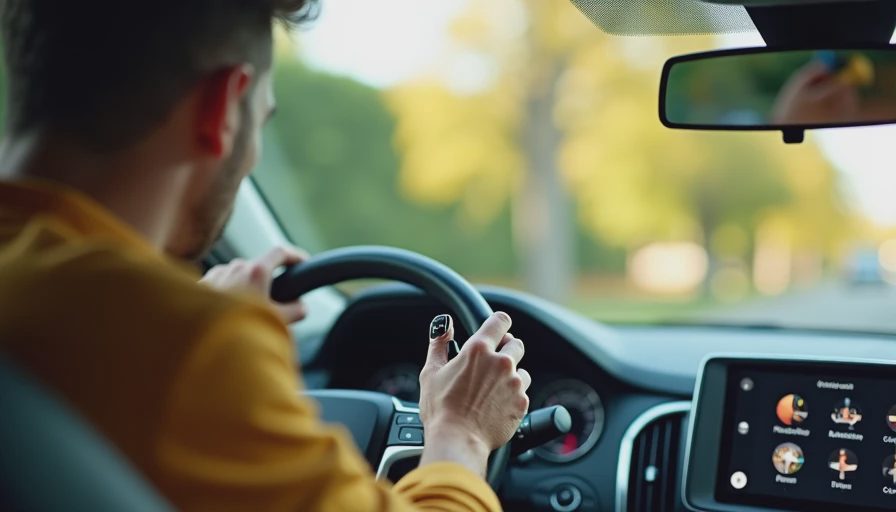
Most bad CarPlay stories start the same way. The phone charges, the screen stays blank, and then the system starts bouncing between connected and disconnected like it cannot make up its mind. In practice, that usually comes from one of three things: a cable that was never built for data, contacts that are too loose to survive vibration, or an adapter that was designed around charging first and compatibility second.
That is why I care more about the cable chain than the brand name on the dashboard. A good CarPlay setup keeps the path short and boring. Good cable, tight connector, minimal extra joins. Every extra junction adds resistance, wear, and a new failure point. If you have ever seen a phone charge at 1 percent per minute and still refuse CarPlay, you have already met the difference between power and data the hard way. CarPlay does not need exotic bandwidth; it needs a clean handshake that survives potholes, cold weather, and a passenger kicking the cord under the seat.
What to buy if you want it to work on the first try
If I had to spend money on a usb c to lightning adapter for carplay today, I would start with a certified cable from Apple, Belkin, Anker, or Cable Matters before I would gamble on a mystery adapter pack. Lightning accessories should be MFi-certified, and the USB-C side should be from a brand that does not treat signal integrity like a suggestion. The boring stuff wins here. A three-foot cable is usually enough for the center console, and it keeps the coil of extra wire from getting kicked, twisted, or trapped under a cupholder lid.
I also prefer a single-piece cable over a tiny adapter stacked onto another cable. One fewer joint means one fewer place for the signal to wobble loose when winter gloves, a phone case, or a sleeping kid in the back seat forces somebody to yank on the cord. If the product page never says data, sync, or CarPlay by name, I move on. If the price is absurdly low and the packaging promises fast charging, CarPlay compatibility, and universal support in the same breath, that usually means none of those claims were tested with much care. Spending fifteen to thirty dollars on a proper cable is usually cheaper than buying three bargain options and still ending up frustrated.

Setup and troubleshooting in a real car
Start with the phone unlocked, plug the cable in directly, and wait for the CarPlay prompt before you start changing settings. If the system does not launch, forget the car in iPhone settings, reconnect, and let it pair again from scratch. That simple reset fixes a surprising number of stubborn head units because the car and phone occasionally disagree about which accessory they met last week.
If the issue keeps coming back, clean the phone port, inspect the adapter for bent or recessed pins, and try a different cable before you blame the vehicle. A dirty Lightning port can feel like a software problem. So can a cable that is fine for overnight charging but falls apart the moment the data handshake starts. I have also seen ports inside the console collect pocket lint so aggressively that the connector never fully seats. That is a hardware problem dressed up like bad infotainment. If the dash works for ten minutes and then drops CarPlay on the first sharp turn, the first thing I suspect is the connector, not the operating system.
When a different fix makes more sense
If you own an iPhone 15 or newer, skip this whole category. You want USB-C on both ends, not a Lightning workaround. If your car has a USB-A port hidden in the armrest bin and it works with CarPlay already, there is no prize for forcing the USB-C route just because the port looks newer. The best fix is the one that makes the fewest parts have to agree at once.
Wireless CarPlay is worth considering too, especially if your daily route includes short hops and constant plugging gets old fast. A good wireless adapter can be cleaner than a bad cable stack, though it adds its own quirks around boot time and phone battery drain. Wireless is convenient, but it can also introduce a second delay while the head unit boots and the phone negotiates the link. If your main pain is a flaky adapter, a straight cable often beats a clever gadget.
My buying rule for drivers who hate wasting money
A usb c to lightning adapter for carplay should be the last thing you buy, not the first. If you can solve the problem with a certified USB-C to Lightning cable, do that. If you need the adapter because the rest of the setup is already locked in, keep the chain short, buy from a known brand, and ignore the bargain-bin lure of a two-pack that costs less than lunch. For most drivers, spending fifteen to thirty dollars on the right cable beats spending the same money three times on the wrong adapter.
That is the whole game: fewer joins, better certification, less drama on the dash. Bench-tested. Kid-tested.