Android Auto screen mirroring without root sounds like it should be a simple toggle. Connect your phone, display whatever is on the handset, and get on with the drive. In practice, Google designed Android Auto as a controlled projection system, not a second copy of your phone. That distinction explains nearly every confusing forum thread, failed app install, and black screen you will encounter.
I have spent enough time testing phone-to-head-unit behavior to recognize the pattern: the hardware is often capable, but the software intentionally narrows the path. Google wants navigation, calls, messages, music, and approved driving apps on the car display. It does not want a driver launching every phone app while moving. That is a safety decision, but it also creates a frustrating gap for people who want video, a custom dashboard, or a full phone interface.
What Android Auto allows by default
Android Auto uses a projection session. Your phone runs much of the application logic, while the vehicle screen presents an interface designed for touch, steering-wheel controls, and voice commands. The head unit is not normally receiving a raw copy of the entire Android screen. It is receiving approved templates and media controls through the Android Auto connection.
That is why Google Maps, Waze, Spotify, Pocket Casts, and many messaging services work cleanly, while a random browser or video player does not appear. The app has to support Android Auto's rules and declare compatible functions. Even if an application looks perfectly usable on a six-inch phone, it can be distracting on a large dashboard display.
For Android Auto screen mirroring without root, the official route is therefore limited. You can customize the launcher, adjust developer settings, and use compatible apps, but there is no standard Google switch called Mirror My Phone. Android Auto developer mode is useful for testing certain app behaviors; it does not automatically unlock unrestricted projection.
The no-root tools people try
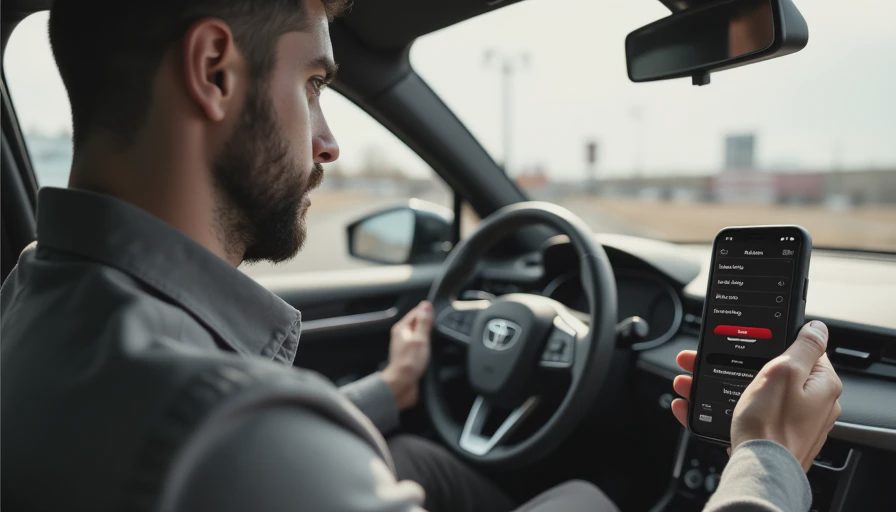
The most common workaround involves sideloading an app that exposes additional Android Auto applications. Tools such as AAAD have historically been used to install packages including screen-mirroring or video-oriented utilities. Other names you may see include Screen2Auto, Fermata Auto, and various forks maintained by independent developers.
These tools can change quickly. An Android update, an Android Auto update, or a security-policy change can disable a previously functional setup. Some packages require accessibility permissions, notification access, wireless debugging, or a specific Android Auto version. Those permissions are powerful, so downloading a modified APK from an unknown file host is a poor trade for a slightly more flexible dashboard.
If you pursue Android Auto screen mirroring without root, start with a spare phone rather than the device containing banking apps, work credentials, and family photos. Read the project's current documentation, scan downloads, review requested permissions, and keep a way to uninstall the package. Never test video playback while driving. A phone mounted within your field of view is already a distraction; placing a moving image on the center display adds another one.
Compatibility is also vehicle-specific. A 2021 Toyota system, an aftermarket Pioneer receiver, and a newer Android Automotive vehicle may expose very different behavior even with the same phone. Wired Android Auto can be more predictable than wireless projection during troubleshooting because it removes Bluetooth and Wi-Fi negotiation from the equation.
Why the experience often breaks
The engineering problem is not just whether the phone can generate a picture. The system must negotiate resolution, touch input, audio focus, rotation, launch permissions, and driver-distraction restrictions. A workaround may display the image but fail to pass taps back to the phone. Another may show a portrait phone screen inside a wide landscape panel. A third may work until the car moves, the screen locks, or Android Auto restarts after a call.
Wireless connections introduce another layer. Android Auto typically uses Bluetooth for initial discovery and Wi-Fi for the high-bandwidth projection session. Crowded wireless environments, aggressive battery optimization, and a phone that switches between Wi-Fi networks can produce stutters or disconnects. A USB cable with data support is not glamorous, but it is the best diagnostic tool. If the wired connection fails, replacing the wireless dongle will not fix the underlying problem.
The car's touch controller can be just as important. Some factory systems send touch coordinates in a way unofficial apps do not expect. Rotary controllers and capacitive screens create different input paths. This is why a workaround praised on Reddit may be unusable in a Lexus with a controller or surprisingly smooth on an aftermarket Sony receiver.
Safer alternatives to full mirroring
Before chasing Android Auto screen mirroring without root, decide what you actually need on the display. If the goal is navigation, use Google Maps or Waze. If it is video for a parked vehicle, a tablet or a dedicated rear-seat screen is usually more reliable and easier to control. If you want a richer dashboard, look for a compatible Android Auto app rather than copying every phone pixel.
Wireless Android Auto adapters from brands such as Motorola MA1, AAWireless, and Carsifi solve connection convenience, not unrestricted mirroring. They can make a supported setup start automatically, but they do not turn Android Auto into an HDMI monitor. Some Android-based car boxes advertise streaming apps and a full launcher; these are separate computing devices with their own processors, storage, updates, and compatibility quirks. Treat them as small car computers, not magic Android Auto settings.
An aftermarket receiver with HDMI input can be another route, but the phone must support a suitable wired or wireless video output. USB-C ports do not all carry DisplayPort video, and a USB cable alone cannot guarantee screen output. Confirm the phone model, adapter requirements, receiver input, and audio path before buying a $100-to-$300 accessory that sits unused in the glove box.
A practical setup checklist
For anyone testing Android Auto screen mirroring without root, this is the order I would use:
- Update the phone, Android Auto, and head-unit firmware, then test ordinary wired Android Auto first.
- Record the phone model, Android version, vehicle year, receiver model, and whether the connection is wired or wireless.
- Back up important data before installing any unofficial package.
- Download only from a source with a visible project history and current documentation.
- Review every permission and refuse anything unrelated to the feature being tested.
- Test in the driveway with the vehicle stationary, including calls, navigation prompts, screen locking, and reconnecting.
- Remove the workaround if it causes crashes, phantom touches, excessive battery drain, or unreliable emergency-call access.
Do not confuse a successful demonstration with a dependable daily system. A family trip is not the place to discover that a modified launcher has taken over audio focus or that the display freezes after a phone call.
My verdict from the cockpit
Android Auto screen mirroring without root is possible only through unofficial or specialized paths, and the result depends heavily on the phone, app version, car, and receiver. The clever part is finding software that fits inside Google's projection boundaries. The broken part is that those boundaries were never designed for a full desktop-style Android experience.
For navigation and music, stay with approved apps and spend the money on a dependable cable or wireless adapter. For parked entertainment, use a tablet or a purpose-built display. For experimentation, use a spare phone and accept that the setup can break after the next update. That is less exciting than a one-click hack, but it is the honest answer.
The best cockpit technology disappears into the background: it connects, responds, and does not demand troubleshooting at the curb. Bench-tested. Kid-tested.