Shopping for the best touchscreen for car with CarPlay is less about finding the biggest display and more about choosing a system that behaves properly every morning. A screen can look impressive in a product photo and still have slow startup, awkward menus, weak microphone performance, or a wireless connection that drops when you need directions. I have spent enough time with infotainment hardware to know that the details behind the glass matter more than the resolution number on the box.
This guide focuses on aftermarket receivers from brands such as Sony, Kenwood, Alpine, JVC, and Pioneer. The goal is simple: explain which features improve daily driving, which specifications are mostly marketing, and what installation constraints can turn a seemingly affordable upgrade into a $1,000 project. Bench-tested. Kid-tested.
What makes a touchscreen receiver genuinely good
The best touchscreen for car with CarPlay should be ready before you finish backing out of the driveway. Wired CarPlay is generally dependable, but wireless CarPlay is much more convenient when the receiver connects quickly and remembers your phone. A realistic target is a startup and connection process that takes seconds, not a repeated ritual of unplugging, restarting, and tapping through Bluetooth menus.
Touch response matters just as much. A good capacitive panel reacts to a light finger press and does not force you to hit a tiny target twice. Sony's XAV-AX6000, Alpine's iLX-507, and several Kenwood Excelon models are strong examples of receivers that keep the main controls straightforward. They do not bury volume, voice control, or source selection behind decorative animations.
Screen brightness is another overlooked specification. A display that looks beautiful in a dark garage can wash out in direct summer sun. Look for a panel with automatic dimming, a responsive brightness control, and a viewing angle that works from the driver's seat. A sharp screen is helpful, but a readable screen is essential.
My leading aftermarket choices
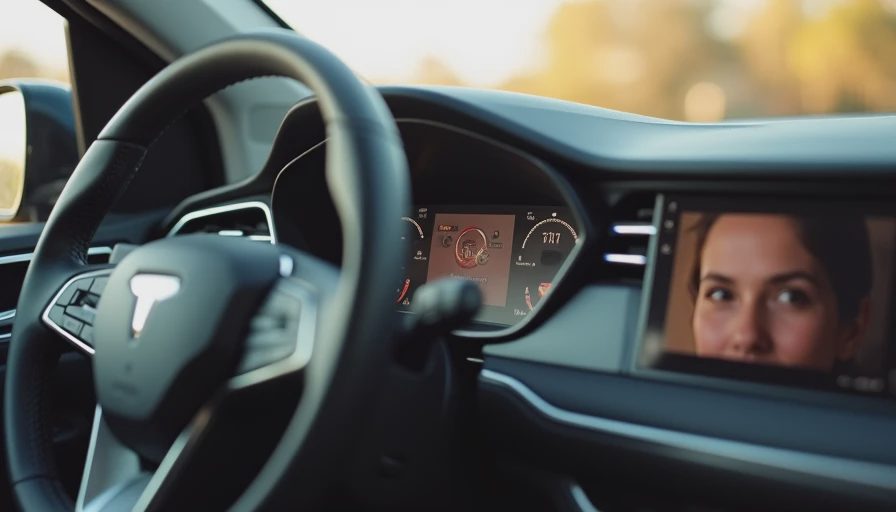
For many drivers, the Sony XAV-AX6000 is the best touchscreen for car with CarPlay because it balances a clean interface, wireless smartphone support, and a relatively compact chassis. Sony's menus are not overloaded with secondary features, which is a compliment in a product used while driving. The physical volume knob or control layout on a receiver can also be more useful than another inch of display.
The Alpine iLX-507 is a compelling choice when screen clarity and a polished user experience matter most. Its display is easy to read, and Alpine provides the kind of audio and camera adjustment options that appeal to owners who want to fine-tune the system. It is not always the cheapest route, but expensive hardware is easier to justify when the interface does not make ordinary tasks feel like troubleshooting.
Kenwood's Excelon DMX958XR sits higher in the feature stack. It is attractive for a driver who wants multiple camera inputs, detailed audio controls, and broad smartphone compatibility. The tradeoff is complexity. More settings mean more opportunities for an installer to leave something configured incorrectly, so this is a receiver worth having professionally installed if your vehicle has factory amplifiers, steering-wheel controls, or an integrated camera.
JVC offers several less expensive options that can deliver the best touchscreen for car with CarPlay value when you care about core smartphone functions rather than audiophile tuning. Pioneer models are also worth considering, particularly when a specific dashboard kit supports them cleanly. The right choice is often the unit that fits your vehicle without forcing compromises elsewhere.
Check compatibility before buying the screen
The best touchscreen for car with CarPlay is not necessarily the one with the largest display. First, identify whether your vehicle uses a standard single-DIN or double-DIN opening. Some dashboards require a dedicated mounting kit, and newer vehicles may need an interface module to retain steering-wheel buttons, factory cameras, USB ports, warning tones, or the original amplifier.
This is where online shopping gets misleading. A $399 receiver can become a $750 installation after adding a dash kit, wiring harness, antenna adapter, camera interface, and labor. In a complex vehicle, the final bill can pass $1,200. That is not automatically unreasonable, but you should know the complete number before ordering.
Ask an installer three practical questions: Will the factory backup camera remain functional? Will the steering-wheel controls work without a separate learning process? Will the new microphone replace the factory microphone or sit visibly on the dash? Clear answers are more valuable than a discount on the receiver itself.
Also measure the screen position. A floating display may provide a larger image, but it can block vents, cover a hazard-light button, or sit too close to the driver's sightline. A smaller flush-fit unit can be the safer and more integrated solution.
Wireless CarPlay, audio, and family testing
Wireless CarPlay is a convenience feature, not a guarantee of a better experience. It uses a combination of Bluetooth for discovery and Wi-Fi for the data connection, so interference, phone settings, or a poorly tuned receiver can create connection delays. Test the system with the phone you actually carry. A receiver that works perfectly with one iPhone is not proof that every household device will behave the same way.
Audio quality also depends on the entire signal chain. A receiver with a strong digital-to-analog section cannot repair blown speakers or a noisy factory amplifier. Look for preamp outputs, useful equalizer controls, time alignment, and a sensible crossover setup if you plan to upgrade speakers later. These controls are genuinely useful; a collection of colorful visualizer animations is not.
I pay attention to voice recognition with road noise, HVAC fan noise, and a child in the back seat asking for snacks. A microphone that works in a silent driveway can struggle badly at highway speed. Put a test call through before accepting an installation, and ask whether the other person can hear you clearly without shouting.
Features worth paying for and features to skip
If you are comparing the best touchscreen for car with CarPlay options, spend money on dependable connectivity, screen readability, physical controls, and vehicle integration. A built-in navigation system is usually less important when CarPlay already provides current maps and traffic information. It can still be useful in areas with poor cellular service, but it should not be the main reason to choose a receiver.
Multiple camera inputs are valuable for larger vehicles, trailers, and drivers who want a front camera. A dedicated HDMI input is much less useful for most families because phones and tablets already provide easier ways to display content. High-resolution audio support is similarly specialized unless you have carefully selected music files and upgraded the rest of the system.
Avoid buying based only on screen size. A 10-inch panel with poor placement can be harder to use than a responsive 7-inch unit with a real volume control. Bigger is not automatically smarter; it is just bigger.
My buying process for a clean upgrade
Start by writing down your vehicle year, trim, factory audio options, camera equipment, and phone model. Then use a compatibility catalog from a reputable retailer or installer to identify the required dash and wiring parts. Select two or three receivers that fit, and compare startup behavior, physical controls, microphone placement, and warranty support rather than chasing the lowest price.
For a straightforward older vehicle, a receiver and installation may land near $600 to $900. Complex factory systems can cost considerably more. Get an itemized quote that separates the receiver, adapters, labor, and any retained factory features. That makes it easier to compare an online bargain with a professionally supplied package.
The best touchscreen for car with CarPlay is the one you can operate without taking your eyes off the road, that reconnects without drama, and that preserves the useful parts of the original vehicle. Choose that before chasing display size or extra menu icons, and your daily commute will feel upgraded rather than merely rearranged.