A wireless CarPlay adapter for older cars can remove one of the most annoying rituals in a modern-ish vehicle: plugging in your phone every time you start the engine. But the word older matters. These adapters do not add CarPlay to every screen ever installed. They convert an existing wired CarPlay connection into a wireless one, which means compatibility comes down to the head unit, USB port, and software handshake. Get those details right and the upgrade feels almost magical. Get them wrong and you have a $60 plastic rectangle that disconnects in the school pickup line.
I have tested enough infotainment hardware to know that convenience is not the same as novelty. A good adapter should boot quickly, reconnect without intervention, preserve steering-wheel controls, and keep audio synchronized with maps and phone calls. It should also survive the messy conditions of real driving: a cold Michigan morning, a phone buried under a jacket, and a four-year-old demanding a different playlist before the car leaves the driveway.
First, confirm what your car already supports
The most important step is checking for wired Apple CarPlay before buying anything. Connect an iPhone to the car's primary USB data port with a reliable cable. If the screen launches CarPlay, a wireless adapter is a realistic upgrade. If the port only charges, the adapter cannot create the missing CarPlay software or hardware.
This distinction eliminates many bad purchases. A 2016 Honda Civic with factory wired CarPlay is a strong candidate. A 2012 Toyota with a basic monochrome display is not. Some vehicles have multiple USB ports, but only one connects to the infotainment computer. The port may be marked with a phone icon, or it may be hidden inside the center console rather than placed beside the 12-volt outlet.
Also test wired CarPlay for several minutes. If the factory system already drops the connection, an adapter will not repair the underlying USB port, damaged cable, weak phone signal, or buggy head-unit firmware. Fix that baseline problem first. Otherwise, you will blame the wireless bridge for a fault it inherited.
How the adapter works, and where latency comes from
A wireless CarPlay adapter for older cars is essentially a small bridge computer. Your iPhone normally sends CarPlay data through a USB cable. The adapter receives that wired connection from the vehicle, then creates a wireless link using Bluetooth for discovery and Wi-Fi for the larger stream of screen, audio, and control data.
That explains two common behaviors. First, pairing is usually not instant on the first attempt because the adapter has to be recognized as a CarPlay device, establish a Bluetooth relationship, and then hand traffic to Wi-Fi. Second, Bluetooth earbuds or a phone hotspot can complicate setup because the phone is negotiating several wireless connections at once.
Latency is usually minor for music and navigation, but it becomes obvious when you tap an icon and the screen responds a beat later. Cheap hardware often uses a slow processor or poorly tuned firmware. The result is not necessarily unusable, but it feels like the screen is ignoring you. In a cockpit, that small delay is more irritating than manufacturers expect because every repeated tap competes with driving attention.
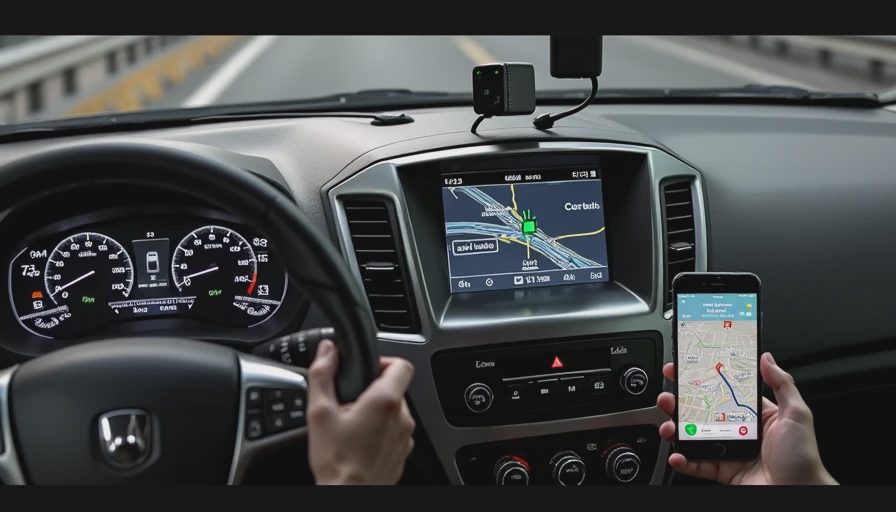
Choosing the right wireless CarPlay adapter for older cars
The recognizable names include Ottocast, Carlinkit, and AAWireless, although model support changes frequently. Do not choose solely by the brand or by the number of reviews on a marketplace. Look for current firmware support, a physical reset method, and clear instructions for switching between two family phones.
A compact USB-C or USB-A cable matters more than it sounds. Some adapters include both connectors; others require you to supply a cable. The cable must carry data, not just power. A short cable also keeps the adapter from swinging around the console and putting stress on the vehicle's USB socket.
For many drivers, a wireless CarPlay adapter for older cars in the $50 to $100 range is the sensible starting point. The least expensive options can work, but inconsistent firmware updates and poor customer support increase the time cost of saving money. Premium models sometimes add Android Auto support, video features, or faster startup, though extra features are not automatically useful. I would prioritize stable CarPlay, not a menu full of functions you will never touch.
Installation is simple, but setup order matters
Start with the car parked and the engine running or the accessory mode active. Plug the adapter into the same USB port that successfully launched wired CarPlay. Wait for its setup screen, then pair the iPhone through the adapter's Bluetooth name rather than connecting directly to a generic Bluetooth audio entry from the car.
After the first pairing, accept the CarPlay prompts on the phone. Then turn the car off, open the driver's door if that is how the vehicle powers down its accessories, and wait a minute before restarting. This tests the complete boot cycle instead of only proving that the adapter works while everything is already awake.
If it fails, delete the adapter from the iPhone's Bluetooth and CarPlay settings, reset the adapter, and repeat the process. Do not pair several phones at once during initial setup. Add the second driver only after the first phone reconnects reliably. Some adapters remember the last phone used; others connect to the device with the strongest recent relationship. That behavior is worth testing before a family road trip.
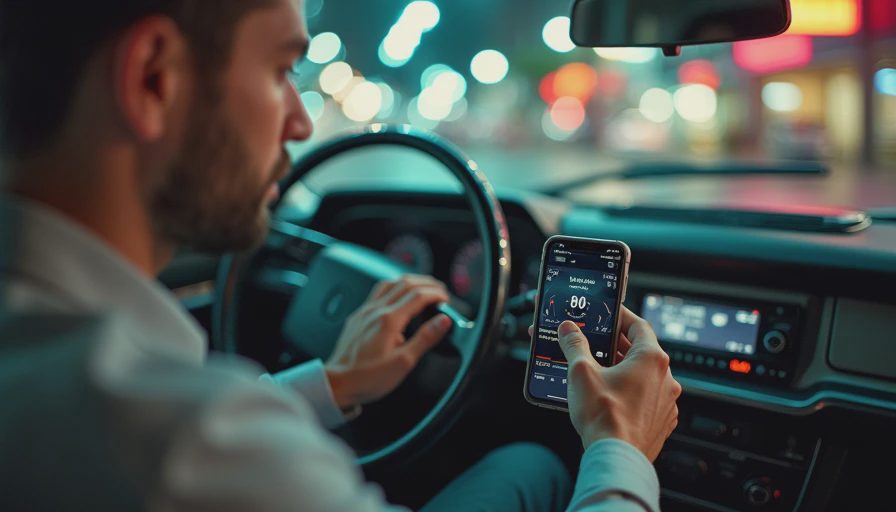
Real-world problems you should expect
The most common complaint about a wireless CarPlay adapter for older cars is slow reconnection. A normal startup can take anywhere from a few seconds to roughly half a minute, depending on the car's head unit and how quickly the phone wakes its wireless radios. If you need immediate navigation every morning, that delay will be more noticeable than it sounds in a product listing.
Audio quality is generally close to wired CarPlay because the adapter is transporting the digital CarPlay stream rather than replacing it with a basic Bluetooth audio connection. Calls can be different. Echo cancellation still depends heavily on the vehicle's microphone placement and factory tuning, so an adapter cannot turn a poor hands-free system into a studio microphone.
Some factory systems also disable touch input while moving, limit split-screen layouts, or restart after a reverse-camera view. Those are head-unit rules. The adapter can preserve them, but it cannot rewrite the vehicle's safety logic. This is why a wireless conversion is best understood as a convenience upgrade, not a new infotainment system.
My buying checklist and final recommendation
Before ordering, confirm five things in the product listing: your vehicle has wired CarPlay, the adapter supports your iPhone's current operating system, the package includes the connector your car needs, firmware updates are available, and returns are straightforward. Save a screenshot of the listing and keep the packaging until you have completed several cold starts.
For a wireless CarPlay adapter for older cars, the winning experience is boring in the best possible way. You get in, the phone connects, the map appears, and the music resumes without opening an app or touching a cable. That is the standard I would use when comparing Carlinkit, Ottocast, AAWireless, or a lesser-known alternative.
My recommendation is to buy the simplest well-supported model that matches your existing wired connection. Avoid chasing colorful menus, streaming gimmicks, or promises that sound like a full factory retrofit. If your car already has usable wired CarPlay, this small bridge can make the daily cockpit feel several years newer. Bench-tested. Kid-tested.