The best USB cable for CarPlay stability is not necessarily the most expensive cable in the electronics aisle. It is the cable that maintains a clean data connection, fits your phone and vehicle ports properly, and survives being yanked by a kid looking for a snack in the back seat. I have spent enough time diagnosing infotainment complaints to know that “CarPlay is broken” often means “the cable is one bad bend away from giving up.”
Wired CarPlay sends more than charging current through that small cable. It carries a digital data connection between your iPhone and the vehicle’s infotainment computer. That connection has to remain stable while the phone negotiates power, launches the CarPlay interface, streams audio, handles navigation data, and responds to controls on the dashboard. A cable that charges perfectly can still be unreliable for this job.
What makes a CarPlay cable stable?
Start with the cable’s construction, not its marketing language. Apple does not require a special “CarPlay cable” in the same way it requires certified accessories for some older Lightning functions, but quality still matters. Look for a cable from a reputable manufacturer with a firm connector, strain relief at both ends, and a data-transfer specification clearly stated on the package or product page.
For Lightning iPhones, an Apple-certified cable from Anker, Belkin, Cable Matters, or Apple is a sensible starting point. These brands sell several versions, so certification alone is not a guarantee that every model will last forever. For newer iPhones using USB-C, a USB-C cable rated for data transfer is essential. Some inexpensive USB-C cables are designed primarily for charging and have limited or absent data wiring. They can power the phone while leaving CarPlay unable to connect.
Length matters more than people expect. A three-foot cable usually creates fewer loops and less leverage on the phone port than a six-foot cable. In a center-console installation, three feet is often enough. If the USB port is buried inside a storage bin, a four-foot cable can be more practical, but avoid extra slack hanging near the shifter or cupholders. Every loop becomes another opportunity for a connector to get pulled sideways.
My practical cable test
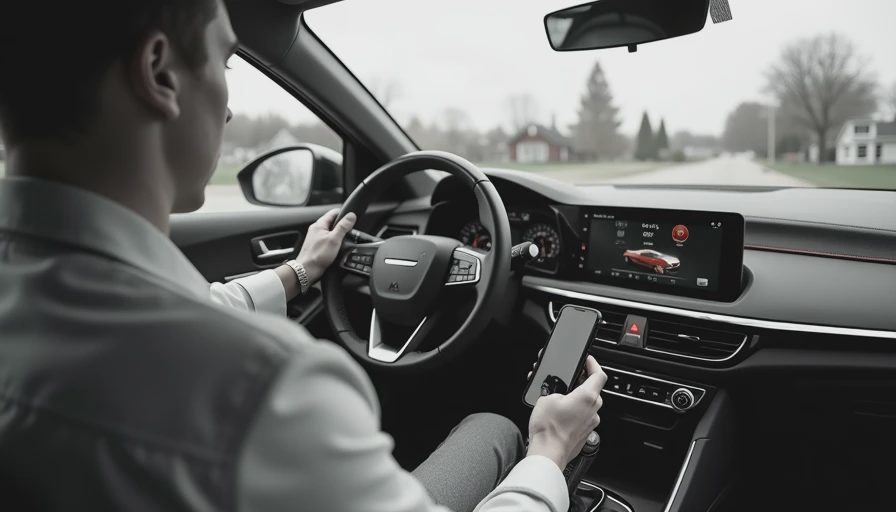
When I evaluate the best USB cable for CarPlay stability, I do not begin with a speed test. I connect the phone, start navigation, play an album, and drive over the sort of imperfect pavement found on an ordinary suburban route. Then I repeat the connection after moving the phone between the console, a cupholder, and a mount. The goal is to expose movement, not create a laboratory result that nobody experiences in a car.
A good cable connects within a few seconds and stays connected when the phone shifts slightly. The CarPlay dashboard should not disappear when the phone is picked up. Music should not pause because the cable is resting against the console edge. If the connection repeatedly drops after a vehicle bump, inspect both the cable and the vehicle port before blaming the head unit.
I also test the cable with the phone case installed. This is where many highly rated cables fail. A thick protective case can prevent the plug from seating completely, leaving a connection that looks normal but loses contact with a little pressure. A compact connector housing is often more useful than a flashy braided jacket.
The cables worth considering
The best USB cable for CarPlay stability depends on the phone and port combination, but a few categories consistently make sense. A short, certified Lightning cable from Anker or Belkin is a strong everyday choice for older iPhones. Cable Matters is useful when you need a specific length or a more compact connector design. Apple’s own cable remains a straightforward reference option, although its soft outer jacket can show wear faster in a busy family vehicle.
For USB-C iPhones, choose a cable that explicitly supports USB data rather than one labeled only for fast charging. Anker, Belkin, UGREEN, and Cable Matters all offer USB-C options with published data capabilities. You do not need an expensive Thunderbolt cable for ordinary wired CarPlay. Thunderbolt cables can work, but their extra bandwidth is unnecessary for this application and may add cost without improving the dashboard experience.
Avoid unbranded multipacks that promise extreme charging wattage while saying little about data. A $6 cable might work for a week, but replacing it several times is not a bargain. In my experience, the useful price range for a dependable single cable is roughly $12 to $30, depending on length, certification, and connector type.
Why cables fail even when they look fine
A CarPlay cable usually fails at one of three points: the connector contacts, the internal conductors near the plug, or the vehicle’s USB port. Repeated bending at the same spot breaks tiny wires inside the jacket. The outside may show no damage, yet the data connection becomes intermittent. Charging continues because power can use different conductors than the data link.
Lint and dust inside the phone port cause another common problem. If the plug does not seat fully, the cable can disconnect when the vehicle vibrates. Turn the phone off before carefully inspecting the port, and use appropriate nonmetallic cleaning tools rather than forcing a pin or blade inside. Also inspect the vehicle-side port. A loose port or worn adapter cannot be repaired by buying a better cable.
Heat is a quieter problem. A phone left in direct sun while navigating can become hot enough to limit charging or pause background activity. That can look like a cable failure. Move the phone out of direct sunlight, remove an especially thick case during long trips, and see whether the behavior changes.
A five-minute troubleshooting sequence
If CarPlay drops out, replace the cable first with a known-good cable. Disconnect other USB accessories, because a low-quality hub or adapter can complicate the connection. Reconnect the phone firmly and verify that the plug is fully inserted on both ends.
Next, restart the iPhone and the infotainment system if the vehicle provides a restart procedure. Check the iPhone’s CarPlay settings and remove the vehicle from the remembered-car list only after simpler steps fail. Pairing again can fix a software state problem, but it will not fix a physically loose connector.
Try the same cable in another vehicle or with another compatible iPhone if possible. This isolates the fault quickly. If one phone fails everywhere, inspect that phone’s port. If several phones fail with one vehicle port, the vehicle is the stronger suspect. This process saves an afternoon of random resets and unnecessary accessory purchases.
My recommendation for daily driving
For most people, the best USB cable for CarPlay stability is a short, certified cable from a known manufacturer, matched to the phone’s connector and rated for data. Buy one primary cable and keep a second tested cable in the glove box. Do not leave the backup permanently plugged into the console, where heat and bending will age it for no reason.
My practical setup is a three-foot cable with a compact plug, a flexible jacket, and enough strain relief to tolerate daily use. I route it so the phone can rest securely without pulling on the connector. That small bit of cable management often improves reliability more than spending another $20 on a premium-looking braid.
The best USB cable for CarPlay stability is ultimately the boring one: correctly specified, firmly seated, short enough not to tangle, and replaced when the connection becomes intermittent. Bench-tested. Kid-tested. If your current cable passes navigation, music, movement, and case-fit checks, keep using it. If it fails any of those tests, a reputable replacement is usually the fastest path back to a calm dashboard.